![Trust20-1.svg]](https://help.trust20.co/hubfs/Trust20-1.svg)
You can access the learner platform homepage at login.trust20.co. If you are a member of a Trust20 team, you can log in at account.trust20.co.
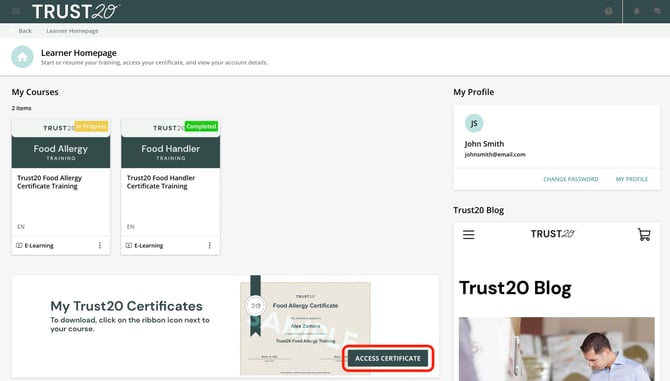
From the certificate banner
Select “Access Certificate” from the banner on your homepage, found directly below your courses and exams.
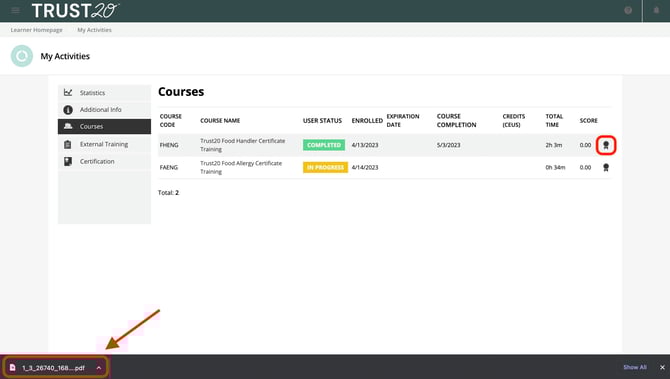
Select the ribbon icon all the way on the right next to your course score. Once the file downloads, you can click it to view your certificate.
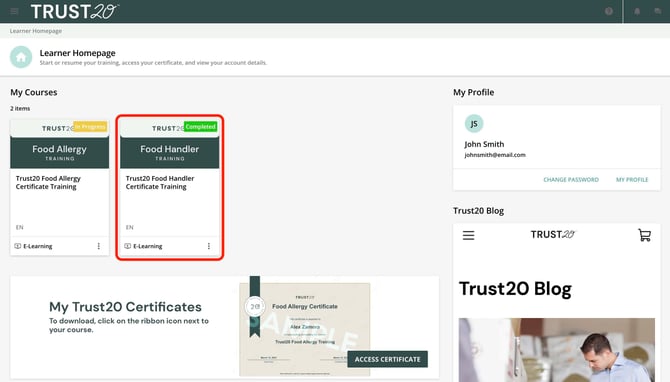
In your completed course
From the home page, click on your completed course under “My Courses.”
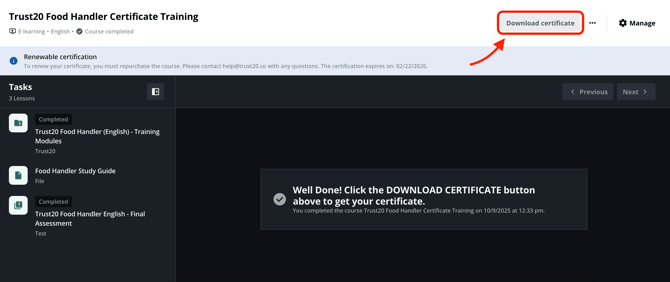
Select “Download your certificate” from the right panel of the screen. This will download your certificate as a PDF to your computer. Once the file downloads, you can click it to view your certificate.
Note: If you are a member of a Trust20 team, your certificate is immediately added to your manager's dashboard so they can view and download a copy.