![Trust20-1.svg]](https://help.trust20.co/hubfs/Trust20-1.svg)
Accepting an invite and logging in as a member of Trust20 for Teams is a different process than for individuals who purchased training for themselves. If you are an individual purchaser who bought a product for yourself, log in at login.trust20.co.
Accepting your invite
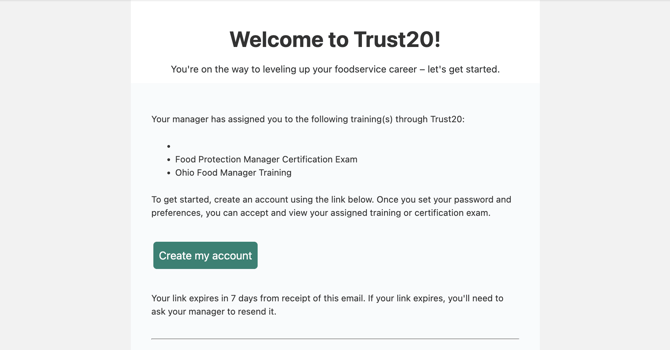
Team members first need to accept the invite from their manager. You should receive an email from help@trust20.co with a link to accept your invitation. If you do not receive your email, ask your manager to double-check for typos and resend your invite. If your link expires, you will need to request that your manager resends your invite.
Future logins
After your invitation has been accepted, you will need to visit account.trust20.co to access your products.