![Trust20-1.svg]](https://help.trust20.co/hubfs/Trust20-1.svg)
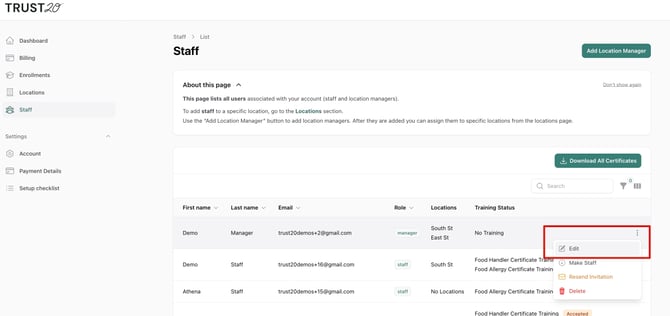
Navigate to the Staff tab, and click the three dots next to the user for which you want to upload a certificate. Click “Edit.”
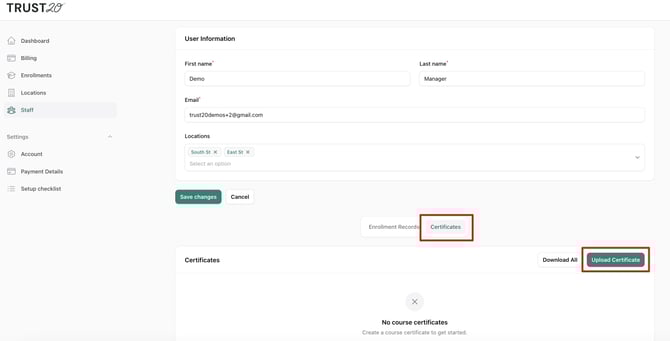
Scroll down and locate the Certificates section, and then click the “Upload Certificate” button.
Fill in the required fields, upload your file and click "Save".
Scroll down and locate the Certificates section, and then click the “Upload Certificate” button.
Fill in the required fields, upload your file and click "Save".