![Trust20-1.svg]](https://help.trust20.co/hubfs/Trust20-1.svg)
To fix a staff member’s email:
- Log in to your dashboard at account.trust20.co.
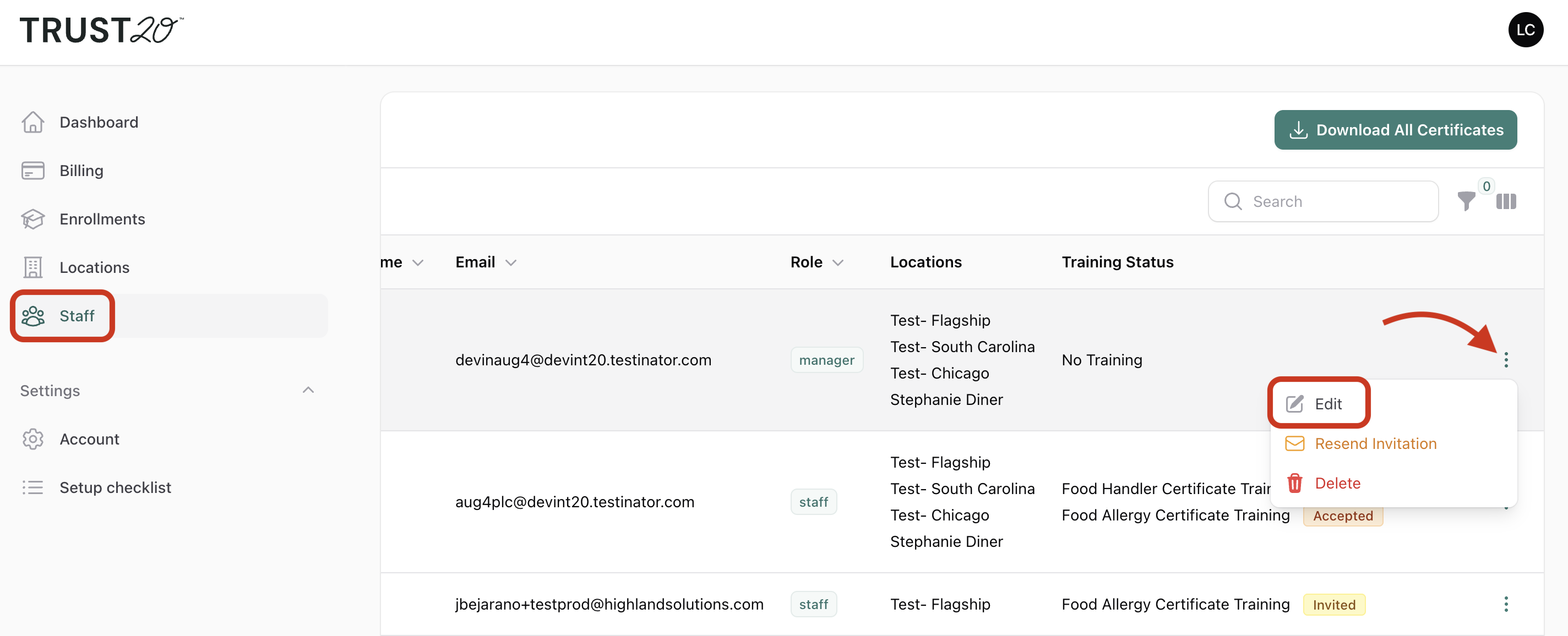
- Go to the Staff page and search for the staff member by name.
- Click the 3 dots and then "Edit."
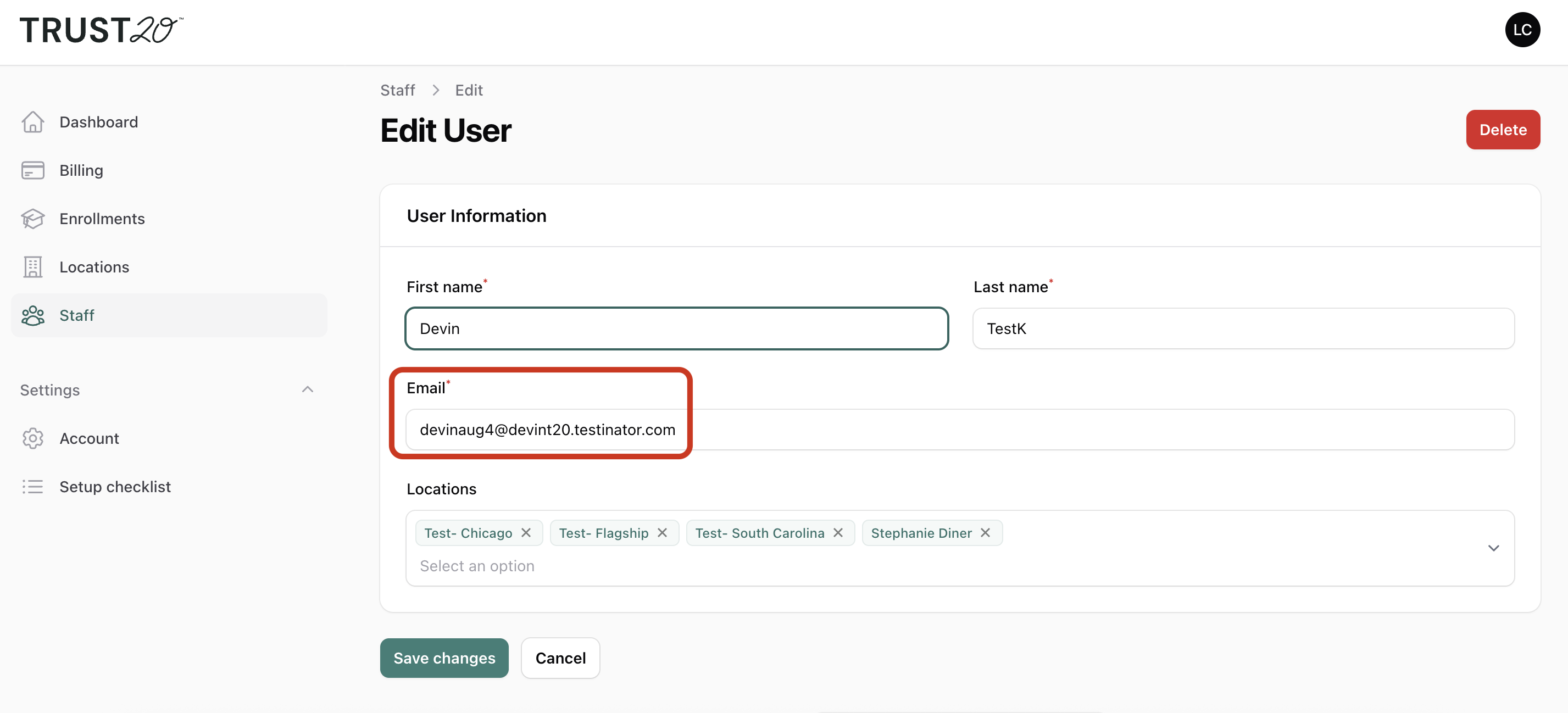
- Edit their email address to the correct one and save.
What happens next?
If the staff member has any pending invitations, they’re automatically resent to the corrected email address. You don’t need to resend anything yourself.
Once the new invitation arrives, your staff member can accept it and log in at account.trust20.co.
Still having trouble?
If the corrected invitation doesn’t arrive, ask your staff member to check their spam or junk folder. You can also resend the invitation from the Staff page by clicking the three dots on their row and choosing Resend invitation.