![Trust20-1.svg]](https://help.trust20.co/hubfs/Trust20-1.svg)
To resend an invitation:
- Log in to your dashboard at account.trust20.co.
- Go to the Staff page.
- Search for the staff member by name or email.
- Click the three dots on their row.
- Click Resend invitation.
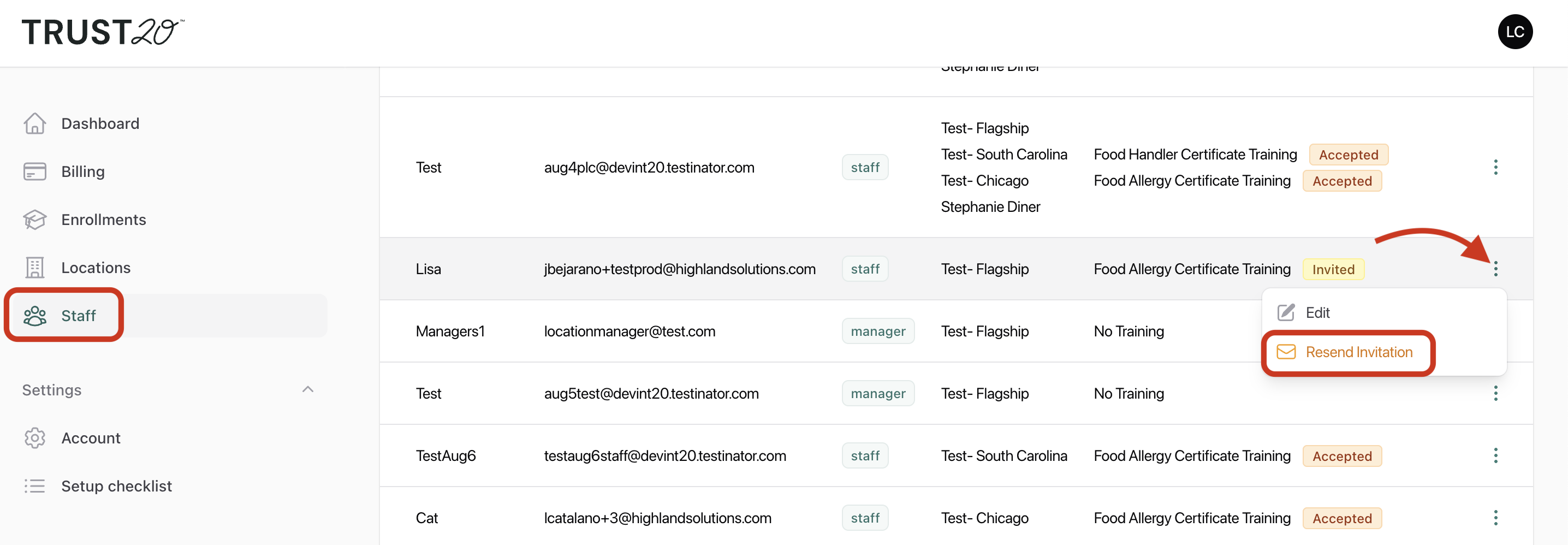
A new invitation email will be sent to the staff member.
Before you resend, it’s worth checking:
- Spam or junk folder. Invitations sometimes end up there, so ask your staff member to look there as well.
- The email address. If it has a typo, edit the address instead. Any pending invitations are resent automatically to the corrected email. See What if I make a typo in an email?